
- Key Takeaways
- Why 2026 Is a Good Time for a Security Reset
- Step One: Walk the Property Like a Stranger
- Step Two: Review Who Can Enter and When
- Step Three: Make Cameras More Useful
- Step Four: Connect Alarm, Fire, and Access Systems
- Step Five: Plan for Power, Internet, and Equipment Failure
- Step Six: Add Basic Cybersecurity Habits
- Step Seven: Build and Test a Short Incident Response Plan
- A Simple Monthly Security Checklist
- Common Questions From Business Owners
- How Often Should a Business Review Its Security Plan?
- Does a Small Business Need Professional Monitoring?
- What Should a Business Fix First?
- Conclusion
Key Takeaways
- A yearly security review can uncover weak entry points, outdated equipment, poor visibility, and unneeded access credentials.
- Physical security and cybersecurity should support each other because cameras, alarms, access systems, and mobile apps are often connected.
- Simple habits, including regular tests, stronger passwords, better visitor procedures, and backup planning, can reduce common risks.
- A practical security plan protects people, property, inventory, records, and the ability to continue operating after an incident.
A security reset is not about buying the newest device every year. It is a structured review of how people enter the building, how alerts are handled, what happens during an outage, and whether the current setup still fits the business.
For companies evaluating integrated protection, commercial alarm systems in Cleveland from U.S. Protective Services show how intrusion detection, professional monitoring, access control, fire alarm protection, video analytics, and installation can be coordinated for businesses in Cleveland, the greater CLE metro, and Northeast Ohio. U.S. Protective Services has served local businesses since 1969, giving the company long-standing experience in designing and maintaining commercial security systems tailored to individual facilities’ needs.
Why 2026 Is a Good Time for a Security Reset
Security needs change as a company grows. A new employee, an added loading door, a renovated office, an expanded warehouse area, a cloud-based camera system, or a remote work policy can create gaps that were not present when the original plan was built. For example, a retail store may add a second customer entrance but forget to update camera coverage, alarm zones, lighting, or employee access rules. A reset identifies these mismatches before they become expensive problems.
Digital habits matter as much as locks and sensors. Small businesses can use guidance for small and medium-sized businesses from CISA to strengthen passwords, multifactor authentication, software updates, backups, phishing awareness, and incident response procedures.
Step One: Walk the Property Like a Stranger
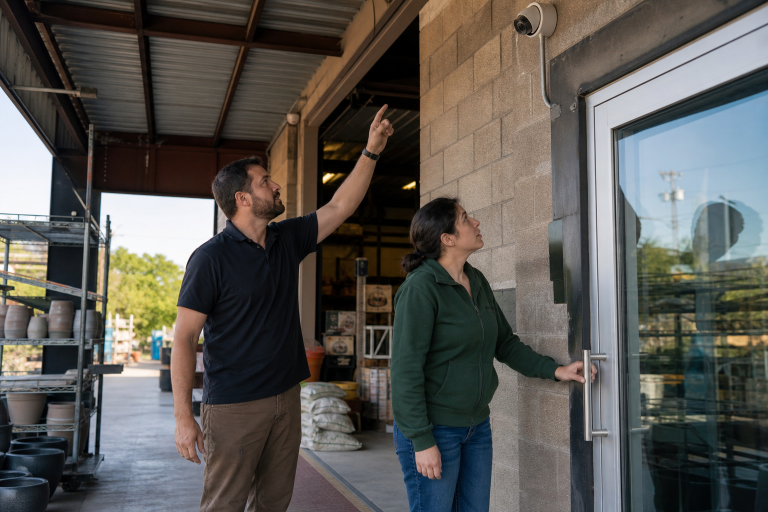
Start outside and view the property from the perspective of someone looking for an easy opportunity. Check exterior doors, side entrances, loading areas, windows, gates, fencing, roof access points, and storage areas. Look for damaged locks, blocked sightlines, overgrown landscaping, dark walkways, and signs that a door does not close or latch reliably.
Then consider what a visitor can see. High-value inventory, cash handling areas, server equipment, keys, and employee records should not be easily visible from public spaces. Confirm that cameras clearly cover entrances, parking areas, cash points, and stockrooms. Emergency exits should remain visible, unobstructed, and easy to use from inside the building.
Step Two: Review Who Can Enter and When
Make a current list of everyone who needs access, including employees, managers, contractors, cleaning crews, vendors, and temporary workers. Remove former employees immediately, and avoid giving every person the same level of access. A cashier may need access to the sales floor, for example, while only selected staff should enter the stockroom, office, server closet, or cash-counting area.
Review every credential type: physical keys, master keys, keypad codes, badges, mobile credentials, and temporary passes. Establish clear after-hours rules, including who may enter alone and whom to contact if an alarm occurs. Access control is especially useful when it records who entered a specific area and when. Review those logs on a regular schedule, not only after something goes wrong.
Step Three: Make Cameras More Useful
Having cameras is not the same as having useful video. Test whether footage identifies faces, activity, vehicles, and transactions under the conditions that matter most, including nighttime, glare, busy periods, and poor weather. Check image quality, camera angles, lighting, remote viewing, recording retention, and whether the correct date and time appear on footage.
Place cameras with purpose. Entrances, receiving doors, register areas, parking lots, inventory rooms, and exterior approaches are common priorities. Avoid unnecessary coverage of private areas and ensure employees understand the company’s video policy. Motion alerts, object detection, and video verification can help managers focus on meaningful activity instead of constantly reviewing routine footage.
Step Four: Connect Alarm, Fire, and Access Systems
Separate systems can create confusion during an emergency, especially when staff must switch between apps, panels, and phone calls. Where practical, connect intrusion alarms, fire and life-safety systems, access control, and video tools so decision-makers can see a clearer picture. For instance, a forced-door alert paired with camera footage and access records gives more context than any one alert alone.
- Use intrusion alarms to protect doors, windows, and restricted rooms.
- Maintain fire and life-safety equipment capable of detecting smoke, heat, or other warning conditions.
- Use access controls for employee-only spaces and sensitive areas.
- Use video to help verify whether an alert requires immediate action.
- Consider monitoring support when no employee is available to respond after hours.
Step Five: Plan for Power, Internet, and Equipment Failure
A security plan should not depend on a single power source or a single communication path. Review battery backup for alarm panels, cameras, access readers, routers, switches, and network video recorders. Ask how alarm signals are transmitted if the internet connection fails, and keep current emergency contacts and support numbers in a location that staff can access during an outage.
Most importantly, test backup equipment. A battery with a warning light, an untested cellular connection, or an outdated contact list can create a false sense of readiness.
Step Six: Add Basic Cybersecurity Habits
Connected security equipment needs digital protection. Use unique passwords for security platforms, enable multifactor authentication when available, limit administrator privileges, and remove inactive user accounts. Keep cameras, alarm panels, routers, apps, and related software up to date. Also, review vendor and remote support access to ensure outside parties have only the permissions needed to perform their work.
Step Seven: Build and Test a Short Incident Response Plan
A short written plan helps employees act quickly without having to guess. It should identify who receives the first alert, who can contact law enforcement or building management, and who communicates with staff, customers, or vendors. Include instructions for break-ins, fire alarms, medical emergencies, suspicious activity, and system failures.
- Assign primary and backup contacts for each alert type.
- Document how to preserve video, access logs, photos, and other evidence.
- Set expectations for employee safety before property protection.
- Review the plan after a move, renovation, staffing change, break-in, or technology upgrade.
A Simple Monthly Security Checklist
- Inspect doors, windows, locks, lights, fencing, and cameras.
- Review access permissions, temporary credentials, and recent access logs.
- Confirm alarm and fire system tests are documented.
- Check for software updates, inactive accounts, and old mobile devices.
- Verify backup power indicators and emergency contact information.
- Ask employees to report damaged equipment or unusual activity promptly.
Common Questions From Business Owners
How Often Should a Business Review Its Security Plan?
Complete a full review at least once a year, with shorter monthly checks. Review sooner after major operational or building changes.
Does a Small Business Need Professional Monitoring?
It depends on the property, operating hours, risk level, insurance expectations, and whether trained staff are available to respond to alarms.
What Should a Business Fix First?
Start with high-risk, low-cost improvements: change shared codes, remove old credentials, improve lighting, update software, test emergency contacts, and repair doors that do not secure properly.
Conclusion
A strong business security plan does not need to be complicated. It needs to fit the property, support the people using it, and receive regular attention. By reviewing access, equipment, digital safeguards, emergency procedures, and daily habits, small businesses can close common gaps before they disrupt operations.